

Easy Way to Track Small Business Mileage
A Mileage Tracker in Google sheets you can use year after year. Easily access it from the app on your phone to log mileage as you use your personal vehicle for business!
PLUS get a bonus travel log to add details about business trips like where you went, what you did, and how long you were there!
Do you struggle to keep track of your mileage throughout the year and then miss out on a big deduction come tax season?!
As a small business owner, every little bit counts when it comes to saving your hard-earned money. If you are constantly using your car to drive to client meetings, pick up supplies, go to photo shoot locations, you name it - you don't want to miss out on this money-saving tool!
It’s as easy as....
Download the google sheet app
Open your mileage tracker
Log the date, location, reason, and total mileage for your trip
Watch your savings rack up!
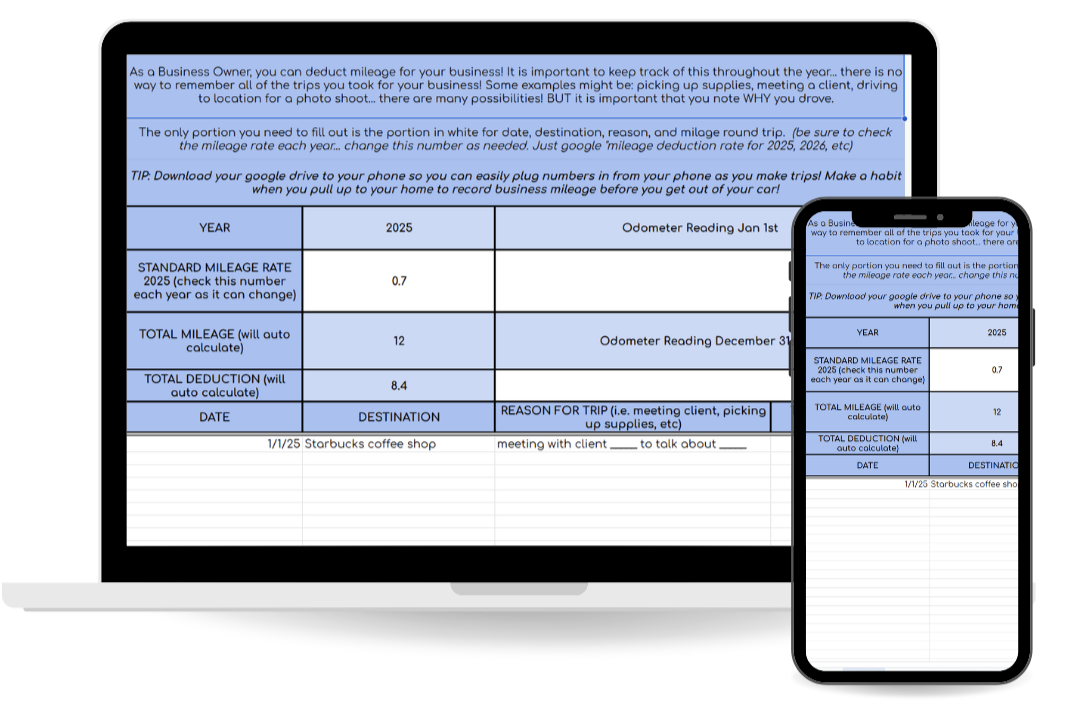
Plug in your mileage & watch your savings calculate!
I always suggest to just share this calculator with your accountant (they will be impressed)!
BONUS: Get a Travel Log
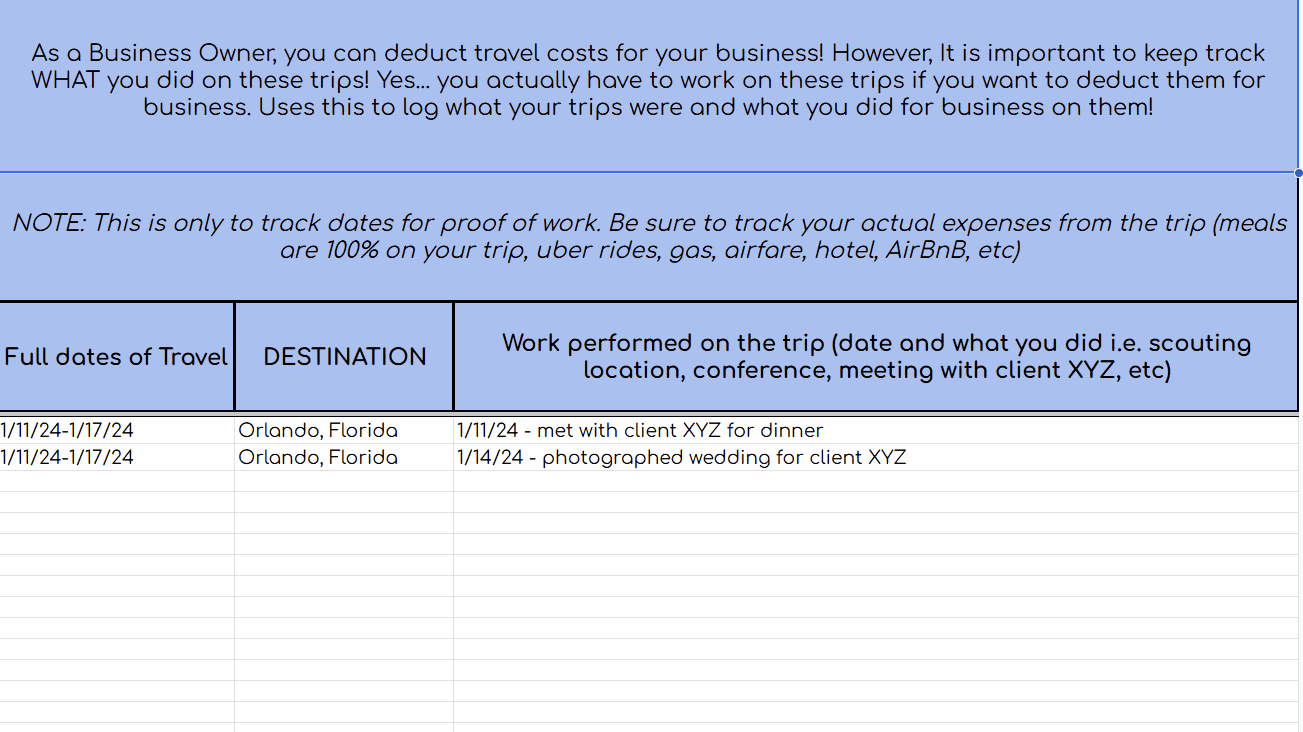
If you travel for business, it is SO important to keep a record of where you went and what you did! This adds a layer of protection if you were to ever get audited to prove that any of those expenses you claimed for travel were in fact for business! Use this Google sheet to easily keep track of your business trips.
Ready to track your business mileage & increase your tax savings?!
Get instant access to the calculator after purchase!
Common questions (and answers) about the Google Sheet Templates
-
Once you purchase the calculator you will get instant access to it via thrivecart where you will get instructions to make a copy of it into your own google drive
-
Each year you can create a new bookkeeping folder (aka Bookkeeping 2025, etc) and make a copy of the calculator. Clear out the old info from the copy and boom - you are ready to stay organized for another year!